
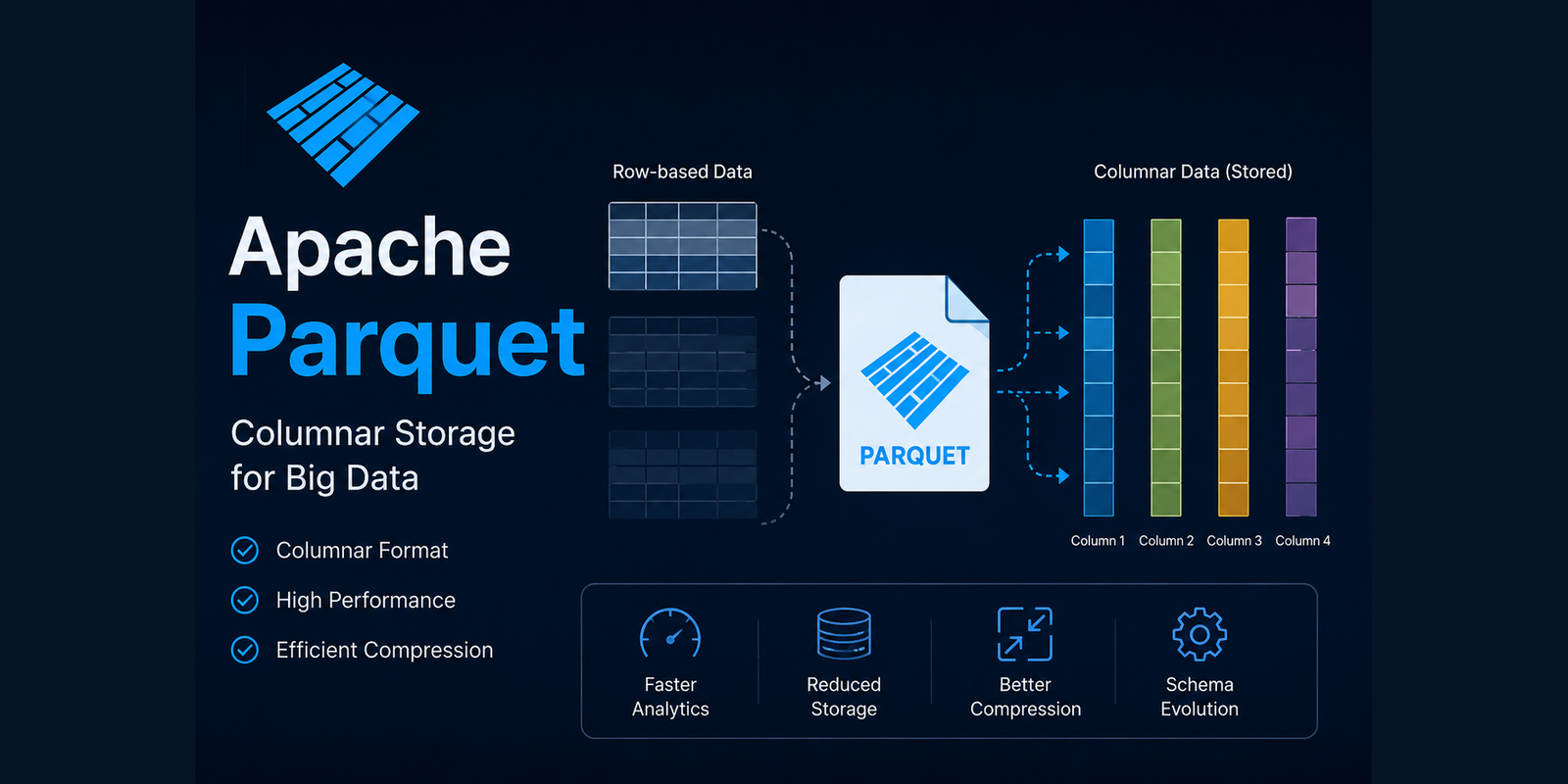
One of the biggest reasons behind Parquet exceptional performance is its carefully designed file structure. Unlike plain-text formats such as CSV or JSON, a Parquet file is not simply a collection of records stored one after another. Instead, it is organized into multiple layers that allow analytical engines to locate, filter, and retrieve data efficiently.
Understanding these internal components helps explain why Parquet performs so well with modern query engines like Apache Spark, DuckDB, Trino, Snowflake, and BigQuery.
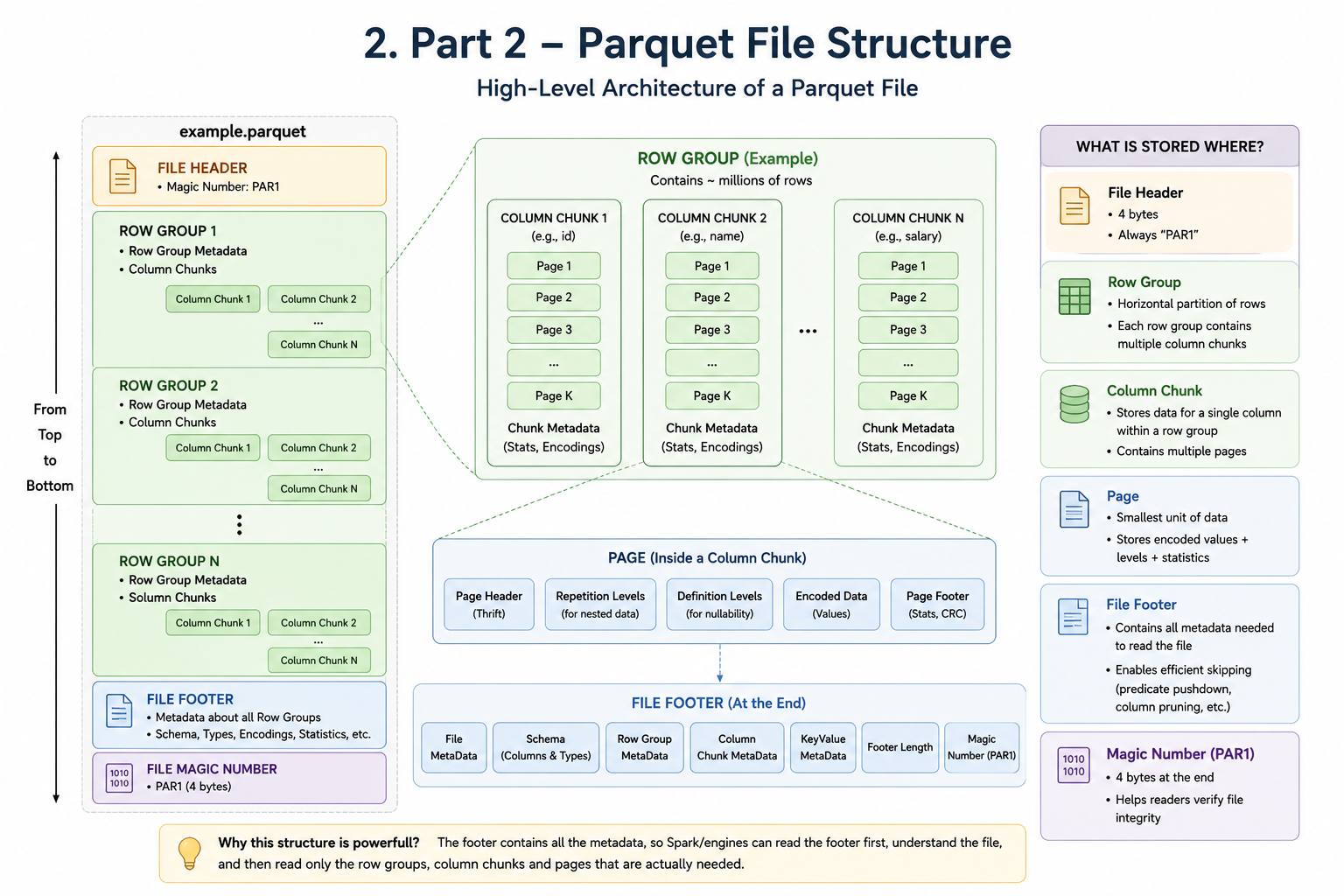
Inside an Apache Parquet file
At a high level, a Parquet file consists of file headers, row groups, column chunks, pages, footer metadata, and closing magic bytes. Each layer serves a specific purpose. Together, they allow Parquet to minimize disk I/O while maximizing query performance.
+------------------------------------------------+
|                File Header (PAR1)              |
+------------------------------------------------+
|                                                |
|                Row Group 1                     |
|   +-------------------------------+            |
|   | Column Chunk (Column A)       |            |
|   | Column Chunk (Column B)       |            |
|   | Column Chunk (Column C)       |            |
|   +-------------------------------+            |
|                                                |
+------------------------------------------------+
|                                                |
|                Row Group 2                     |
|   +-------------------------------+            |
|   | Column Chunk (Column A)       |            |
|   | Column Chunk (Column B)       |            |
|   | Column Chunk (Column C)       |            |
|   +-------------------------------+            |
|                                                |
+------------------------------------------------+
|               Footer Metadata                  |
+------------------------------------------------+
|                  PAR1                          |
+------------------------------------------------+
The role of file headers and footers
Every Parquet file begins and ends with the four-byte magic number PAR1. These magic bytes help software quickly identify whether a file is actually a Parquet file.
PAR1However, the most important part is not the header. It is the footer. Unlike many file formats that store metadata at the beginning, Parquet stores almost all metadata at the end of the file.
- The schema of every column.
- Data types.
- Number of rows.
- Row group locations.
- Compression algorithms.
- Encoding techniques.
- Statistics for every column.
- Page offsets.
When Spark or DuckDB opens a Parquet file, it does not immediately scan the entire dataset. It reads the footer, understands the complete file layout, identifies only the required row groups and columns, and reads the minimum amount of data needed to execute the query.
Understanding row groups
A Row Group is one of the most important building blocks inside a Parquet file. Think of a Row Group as a horizontal partition of the dataset. For example, a table containing one million customer records can be divided into multiple Row Groups.
Customers Table

1 - 100,000
------------------
Row Group 1

100,001 - 200,000
------------------
Row Group 2

200,001 - 300,000
------------------
Row Group 3

...

900,001 - 1,000,000
------------------
Row Group 10
Each Row Group contains every column, but only for its own subset of rows. Modern query engines process Row Groups independently, which enables parallel execution, better CPU utilization, reduced memory usage, and faster distributed processing.
For example, Spark can assign different Row Groups to different executor cores, allowing multiple parts of the file to be processed simultaneously. This parallelism is one of the key reasons Parquet scales so effectively in distributed systems.
Column chunks: where columnar storage begins
Inside every Row Group, data is organized into Column Chunks. Suppose we have the following dataset.
Employee ID | Name    | Department  | Salary
------------|---------|-------------|--------
101         | Alice   | Engineering | 90000
102         | Bob     | Finance     | 75000
103         | Charlie | HR          | 68000
Within a Row Group, Parquet stores the columns separately.
Row Group

Employee_ID
-----------
101
102
103

Name
------
Alice
Bob
Charlie

Department
-----------
Engineering
Finance
HR

Salary
--------
90000
75000
68000
This organization enables one of Parquet most powerful optimizations. If a query only requires the Salary column, Spark reads only the Salary Column Chunk and never loads the remaining columns into memory.
SELECT AVG(salary)
FROM employees;
If each employee record contains 25 columns but the query needs only two, nearly 90 percent of the file can be skipped. This dramatically reduces disk reads, network transfer, memory allocation, and CPU usage.
This optimization is commonly known as column pruning, and it is one of the defining advantages of column-oriented storage.
Breaking column chunks into pages
Column Chunks are further divided into smaller units called Pages. Pages are the smallest storage blocks inside a Parquet file.
Salary Column Chunk

------------------------
Page 1

90000
85000
78000

------------------------
Page 2

72000
64000
81000

------------------------
Page 3

93000
76000
87000
Smaller blocks offer several performance benefits. Each page can be compressed independently, encoded using different techniques, read without loading the entire Column Chunk, and skipped when query optimizations determine it is not needed.
This fine-grained organization allows analytical engines to process massive datasets while keeping memory usage under control.
How Spark reads a Parquet file
Now consider what happens when Spark executes a query that selects name and salary for employees in the Engineering department.
SELECT name, salary
FROM employees
WHERE department = 'Engineering';
Instead of scanning the entire file sequentially, Spark follows an optimized execution strategy. It reads the Parquet footer, loads metadata describing every Row Group, determines which columns are required, and ignores every other column.
- Spark reads the Parquet footer.
- It loads metadata describing every Row Group.
- It selects only Name, Salary, and Department.
- It uses column statistics to eliminate Row Groups that cannot contain Engineering records.
- It reads only the remaining Row Groups.
- It decompresses the required pages.
- It returns the filtered result.
Without these metadata structures, Spark would need to scan every row in the dataset, similar to how it processes CSV files. Instead, Parquet enables Spark to skip large portions of the file before reading any actual data.
This intelligent execution strategy is the foundation for advanced optimizations such as predicate pushdown, column pruning, and parallel processing.