
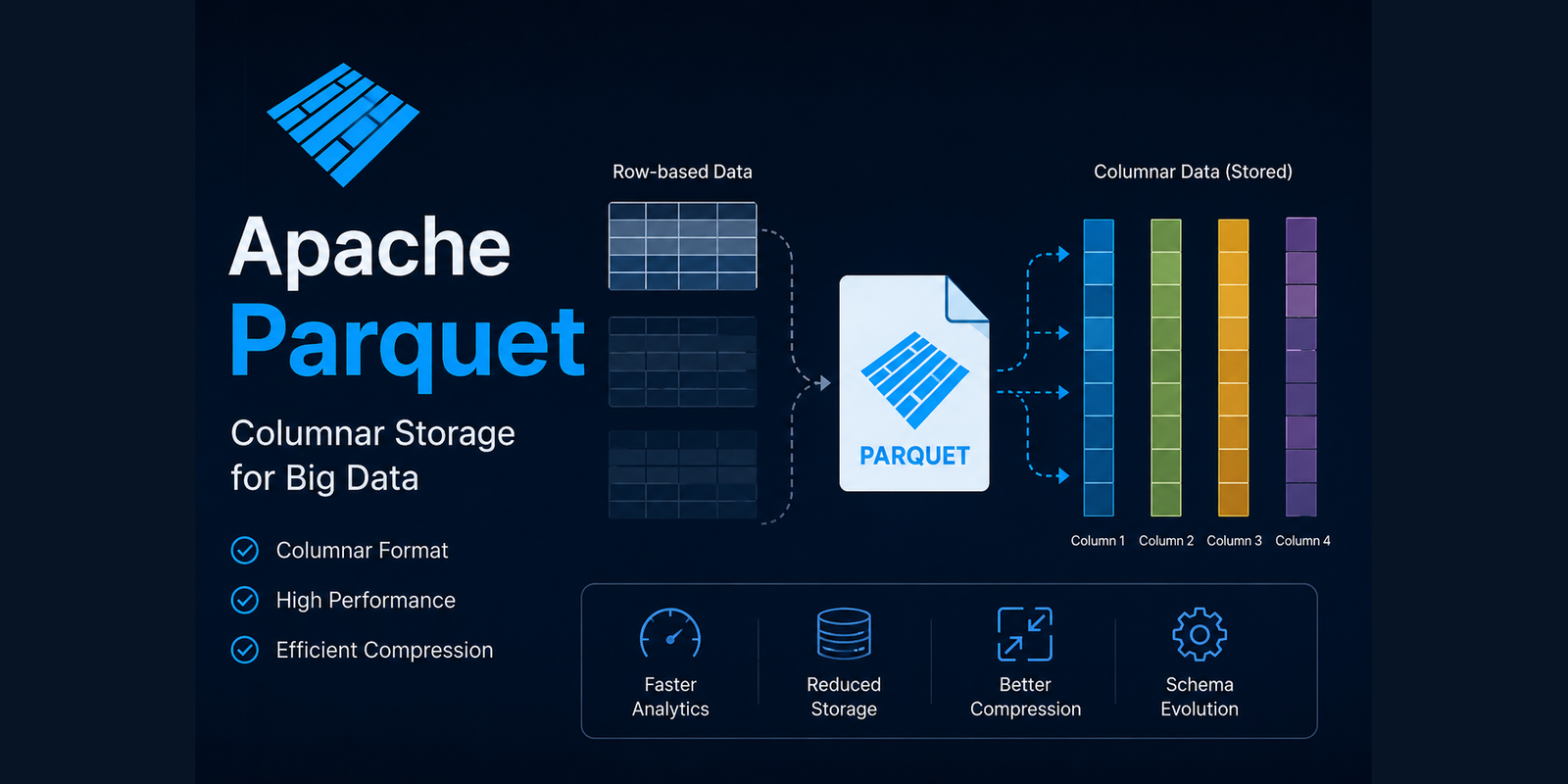
So far, we have explored how Parquet stores simple columns such as integers, strings, and dates. However, real-world datasets are rarely this straightforward. Modern applications often generate complex and nested data structures, and Parquet is designed to store them efficiently without giving up query performance.
Supporting complex data structures in Apache Parquet
Consider a customer record from an e-commerce platform.
{
  "customerId": 1001,
  "name": "Alice",
  "addresses": [
    {
      "city": "New York",
      "country": "USA"
    },
    {
      "city": "Boston",
      "country": "USA"
    }
  ],
  "orders": [
    {
      "orderId": 501,
      "amount": 120
    },
    {
      "orderId": 502,
      "amount": 340
    }
  ]
}
This record contains arrays and nested objects rather than a flat table. Unlike CSV files, Apache Parquet can store these complex structures while still maintaining efficient column-oriented reads.
- Nested structures (Struct)
- Arrays (Lists)
- Maps
- Optional fields
- Repeated fields
How nested structures are stored
Suppose we have the following employee record.
Employee

├── Id
├── Name
└── Address
      ├── City
      ├── State
      └── Country
Although the data appears hierarchical, Parquet does not physically store nested objects as one large document. Instead, it flattens the hierarchy into separate columns.
Employee.Id

Employee.Name

Employee.Address.City

Employee.Address.State

Employee.Address.Country
This lets query engines perform column pruning on nested fields. For example, a query can read only Address.City while skipping Address.State and Address.Country.
SELECT Address.City
FROM employees;
Flattening also improves compression because values of the same type stay grouped together.
Handling arrays and repeated values
Collections such as arrays are common in analytical datasets.
{
  "product": "Laptop",
  "tags": [
      "electronics",
      "office",
      "premium"
  ]
}
Internally, Parquet stores collections using metadata that preserves the relationship between elements while avoiding unnecessary duplication. Query engines can reconstruct the original hierarchy during reads without storing every nested object repeatedly.
Understanding optional and required fields
Not every record contains values for every column. Consider the following example.
| Customer | Email               | Phone      |
| -------- | ------------------- | ---------- |
| Alice    | alice@example.com   | 9999999999 |
| Bob      | bob@example.com     | NULL       |
| Charlie  | NULL                | 8888888888 |
Traditional formats simply leave missing values blank. Parquet explicitly distinguishes between required and optional fields, allowing null values to be represented efficiently without wasting space.
Definition levels and repetition levels
One of the most sophisticated features inside Parquet is its use of definition levels and repetition levels. Developers rarely interact with these concepts directly, but they are fundamental to how Parquet stores nested data.
Definition levels
Definition levels indicate whether a value exists or is null. If Address.City is missing, Parquet does not need to store an explicit NULL value for every record. Instead, it records the appropriate definition level.
Employee

Name

Address.City
Repetition levels
Repetition levels describe whether a value belongs to a repeated structure such as an array. Suppose a customer has multiple phone numbers.
9876543210

9988776655

9123456789
Instead of repeatedly storing the complete parent object, Parquet records only enough structural information to rebuild the hierarchy during reads. Together, definition and repetition levels allow Parquet to represent deeply nested JSON documents while preserving strong compression ratios.
Column statistics: the secret behind fast queries
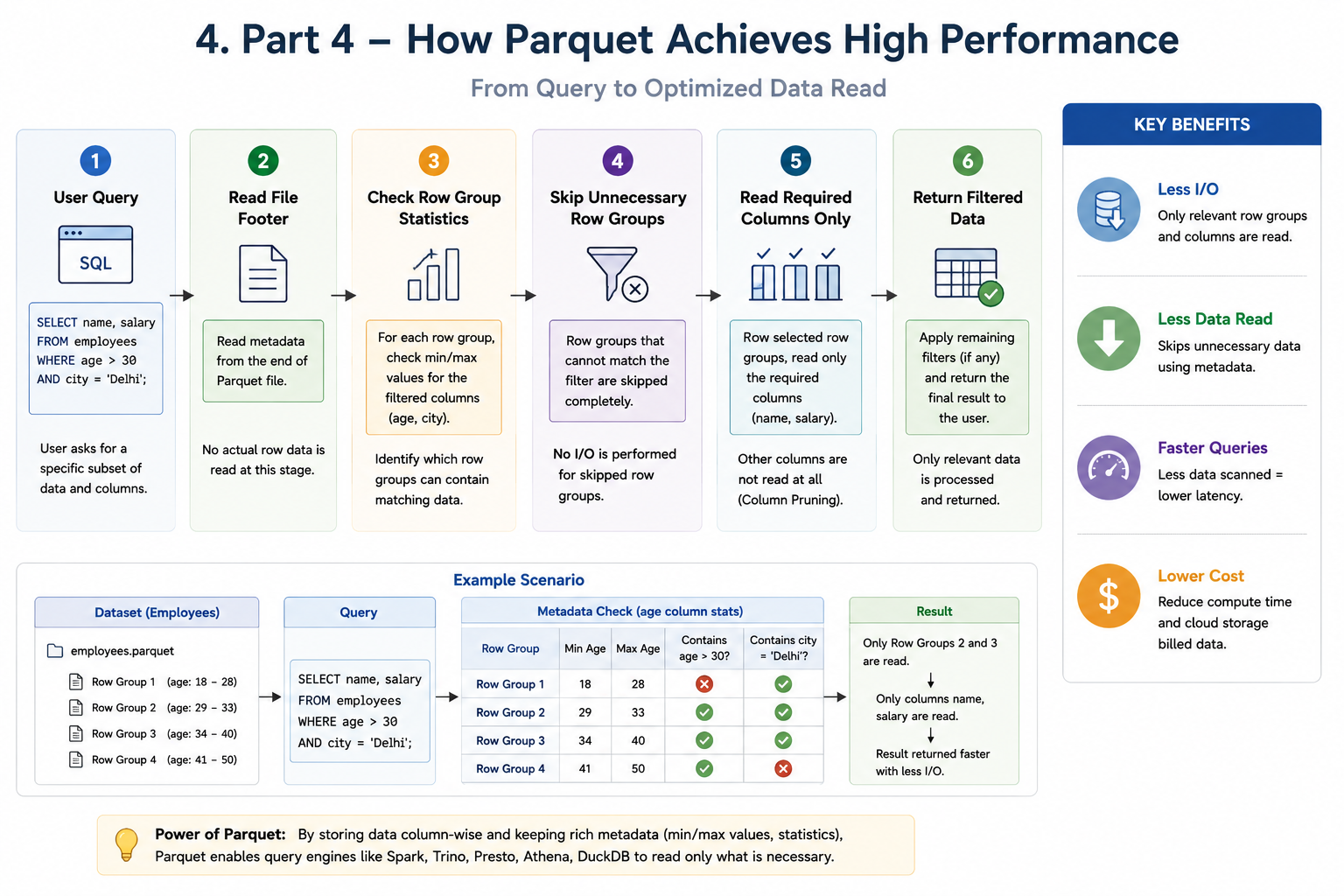
Earlier, we discussed predicate pushdown. The reason Parquet can skip data so effectively is that every row group stores metadata such as minimum value, maximum value, null count, and number of values.
Row Group 1

Min Year = 2019

Max Year = 2020
Row Group 2
Min Year = 2021
Max Year = 2022Now consider this query.
SELECT *
FROM transactions
WHERE year = 2023;
Spark immediately recognizes that neither row group can contain records from 2023. Both row groups are skipped without reading their data pages, dramatically reducing disk access.
Page indexes and bloom filters
Newer versions of the Parquet specification introduce additional metadata structures that further improve query performance.
Page indexes
Instead of reading an entire column chunk, query engines can identify exactly which pages contain relevant values. This enables finer-grained skipping during query execution.
Bloom filters
Bloom filters provide a probabilistic way of determining whether a value might exist inside a data block. If a bloom filter determines that a customer ID definitely does not exist within a page, the query engine skips reading that page altogether.
Bloom filters may occasionally return false positives, but they never return false negatives. That makes them effective for equality-based lookups.
Why these internal structures matter
Many developers think Parquet is simply a compressed columnar file. In reality, the format combines several sophisticated mechanisms.
- Column-oriented storage
- Nested data representation
- Efficient null handling
- Definition levels
- Repetition levels
- Column statistics
- Page indexes
- Bloom filters
- Metadata-driven query planning
Together, these features enable analytical engines to process datasets containing billions of records while reading only a small fraction of the underlying storage. As datasets grow, these optimizations become increasingly important for reducing execution time and cloud infrastructure costs.
What is next?
Now that we have explored how Parquet stores both simple and complex data, the next step is learning how to write Parquet files efficiently in production environments.
- Partitioning strategies
- Choosing the right file size
- The Small Files Problem
- Compaction
- Compression codec selection
- Spark write optimizations
- Real-world production best practices
These recommendations can make the difference between a fast, scalable data lake and one that becomes increasingly difficult to maintain over time.